

Add Cloudflare Turnstile to Elementor Forms

- Elementor does not include native Cloudflare Turnstile support, so you’ll need an addon like Cool FormKit to integrate it.
- Cloudflare Turnstile protects Elementor forms from spam by verifying real visitors without showing frustrating CAPTCHA challenges.
- Set up your Cloudflare Site Key and Secret Key, enable the Turnstile feature in Cool FormKit, and add the Turnstile field to your Elementor form.
Common Elementor Form Mistakes and How to Fix Them

| Common Mistake | Why It Matters | Quick Fix |
|---|---|---|
| Asking for too many fields | Long forms reduce completion rates. | Keep forms short and use conditional logic. |
| Unclear field labels | Users may enter incorrect information. | Use clear labels and helpful instructions. |
| Wrong field types | Leads to inaccurate or inconsistent data. | Choose the right field for each input. |
| Invalid phone number format | Makes contact details unreliable. | Use input masks and country codes. |
| Too many required fields | Visitors are more likely to leave. | Require only essential information. |
| Email notifications not working | You could miss valuable leads. | Check settings and configure SMTP. |
| No spam protection | Bots can flood your inbox. | Enable Turnstile, reCAPTCHA, or hCaptcha. |
| No success message | Users may think the form failed. | Display a clear confirmation message. |
| Skipping form testing | Hidden issues hurt conversions. | Test forms before publishing. |
Style Elementor Forms (Checkboxes, Radio Buttons, and more)
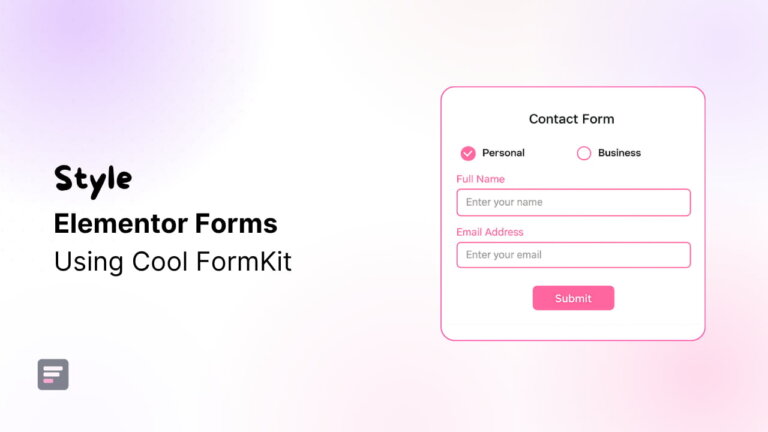
- Learn how to style Elementor Forms with customized checkboxes, radio buttons, labels, and image selection fields.
- Discover how Cool FormKit extends Elementor Forms with advanced styling options without requiring custom CSS.
- Follow step-by-step instructions to customize radio buttons, checkboxes, and image-based selection fields in Elementor.
- Improve form usability and visual appeal with colors, spacing, icons, images, and responsive styling controls.
- Create professional, user-friendly Elementor forms compatible with Elementor Pro and supported Elementor Free form widgets.
How to Automatically Translate Elementor Forms Using AI
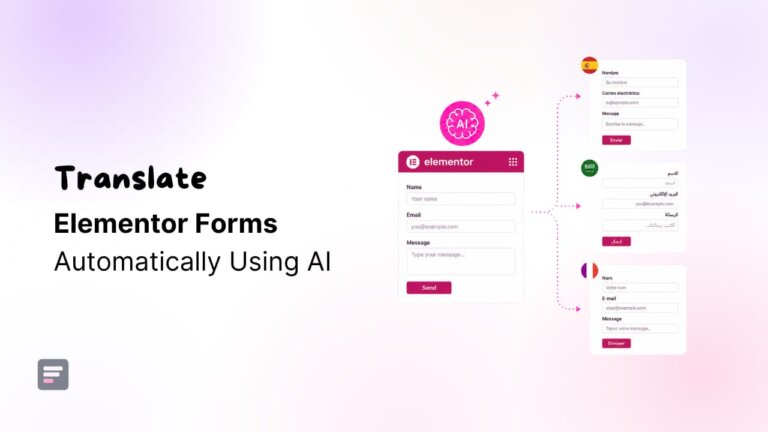
- Automatically translate Elementor Forms with AI and eliminate time-consuming manual multilingual translations.
- Improve user experience by displaying form labels, messages, and fields in native languages.
- Increase form submissions by making contact, registration, and feedback forms easier to understand.
- Use AutoPoly, AutoTP, or AutoMLP based on your preferred multilingual WordPress plugin.
- Manage multilingual Elementor Forms efficiently while reducing translation costs and ongoing maintenance.
Best Form Builders and Addons for Elementor

- Elementor Forms handle basic form needs, but advanced functionality often requires additional features.
- Form addons add conditional logic, calculators, ratings, signatures, and other advanced form fields.
- Cool FormKit extends native Elementor Forms without replacing your existing workflow or interface.
- Other plugins offer standalone form builders with templates, integrations, and complex form management.
- Cool FormKit enhances Elementor Forms with powerful features while keeping everything familiar and easy.
How to Create a Custom Calculator in Elementor?
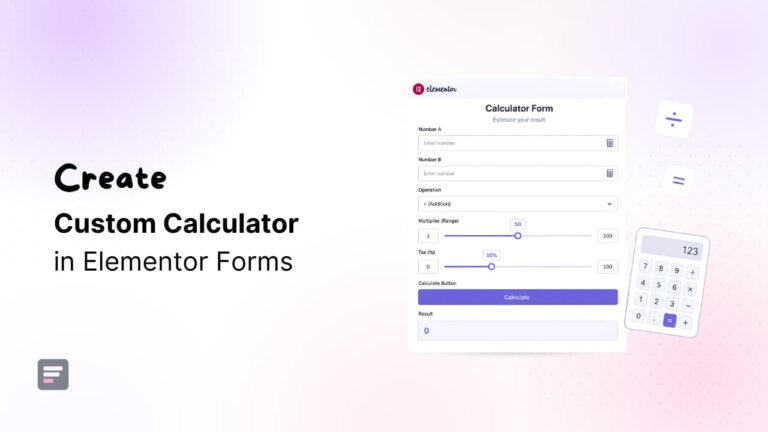
- Build custom calculators in Elementor without coding using Cool FormKit’s Calculator Field feature.
- Create price, BMI, loan, mortgage, and quotation calculators directly inside Elementor Forms.
- Use simple formulas, advanced form fields, and conditional logic for instant calculations.
- Display professional results with currency formatting, separators, prefixes, suffixes, and custom styling.
- Transform Elementor forms into interactive calculation tools that improve engagement and lead generation.
Cool FormKit: Build Advanced Forms in Elementor

- Learn how Elementor Forms can handle advanced form-building without switching form builder plugins.
- Discover Cool FormKit features like conditional logic, calculators, automation, and dynamic form experiences.
- Add advanced fields including ratings, signatures, image radios, sliders, and currency inputs.
- Improve form security using Cloudflare Turnstile, Google reCAPTCHA, and hCAPTCHA integrations.
- Build smarter, conversion-focused Elementor forms while maintaining design consistency and workflow simplicity.
5 Essential Features Missing From Elementor Pro Forms
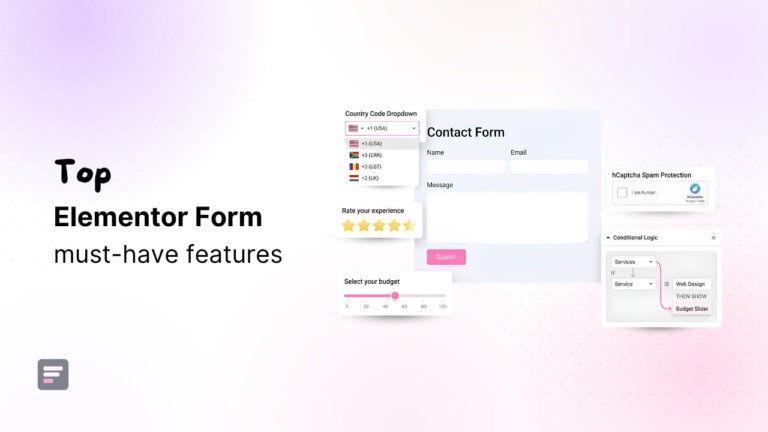
- Conditional logic displays relevant fields, improves user experience, and automates personalized form workflows efficiently.
- Country code dropdown standardizes international phone numbers, improving accuracy and communication with leads.
- Spam protection reduces fake submissions, keeping your inbox clean and focusing on genuine inquiries.
- Rating fields simplify feedback collection, helping businesses measure customer satisfaction quickly and effectively.
- Range slider fields create interactive forms, making data collection easier, faster, and more structured.