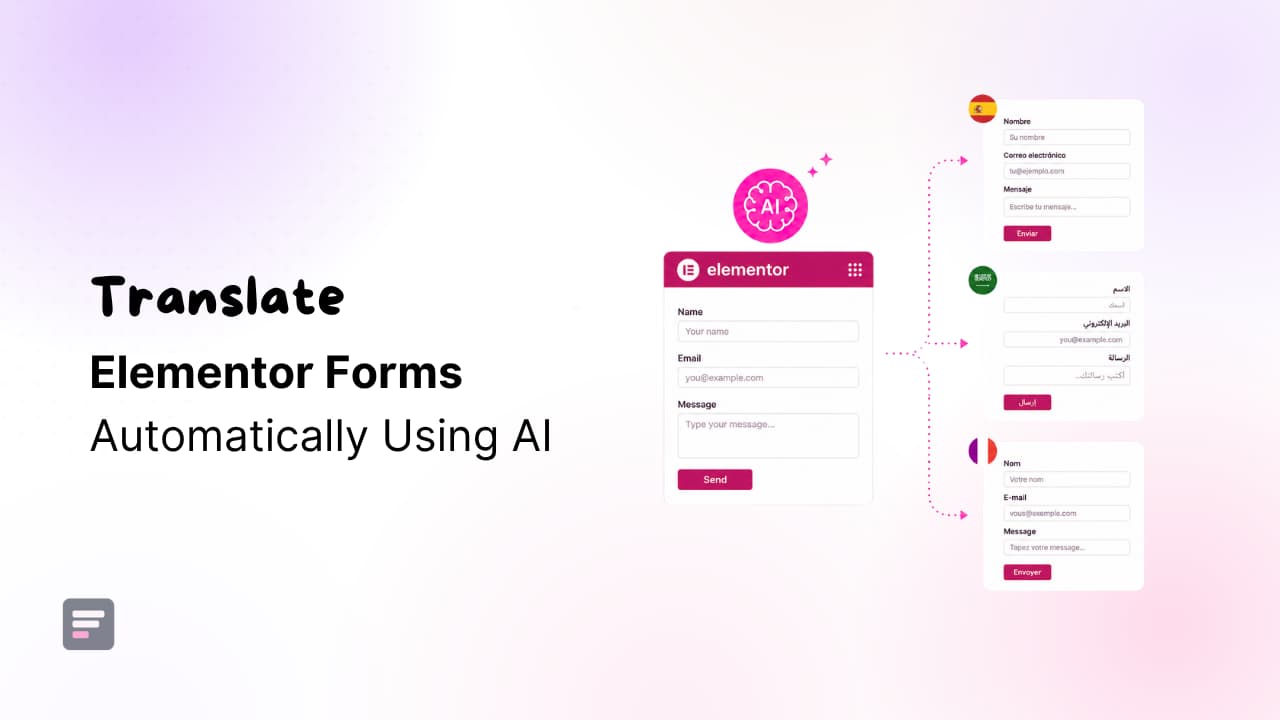
Elementor Forms are widely used on WordPress websites for contact forms, lead generation forms, registration forms, feedback forms, and more.
As websites increasingly serve visitors from different countries, translating Elementor forms into multiple languages has become essential for improving user experience, increasing form submissions, and making websites accessible to a global audience.
But majority of translation plugins in WordPress ecosystem offers manual translation, which is a time-consuming and tiring process.
Imagine manually translating every form field, label, placeholder, validation message, confirmation message, and email notification, especially when your website manages multiple forms across different pages.
You need AI-powered automatic translation tools to make the translation process faster.
Depending on your website’s multilingual setup, you can use different AI translation addons:
- AutoPoly – AI Translation for Polylang
- AutoTP – AI Translation for TranslatePress
- AutoMLP – AI Translation for WPML
In this guide, you’ll learn how to automatically translate Elementor Forms using AI and create multilingual forms that help you connect with visitors worldwide.
Benefits of AI Translation for Elementor Forms
- Reach a Global Audience: Translating your forms allows visitors from different countries to interact with your website in their preferred language, helping increase engagement and conversions.
- Increase Form Submissions: Users are more likely to complete a form when they clearly understand field labels, instructions, and validation messages.
- Save Time and Effort: Instead of manually translating every form field and message, AI can generate translations within minutes.
- Consistent Languages: AI translation plugins help maintain consistency between the original form and all translated versions, reducing the risk of missing content.
- Improve Multilingual SEO: When forms are displayed on translated pages, your website becomes more relevant to users searching in different languages.
- Reduce Translation Costs: AI-powered translation can significantly lower the cost of managing multilingual websites compared to manual translation.
- Enhance User Experience: Visitors feel more comfortable interacting with forms that are fully localized in their native language.
How to Automatically Translate Elementor Forms Using AI
Via AutoPoly – AI Translation for Polylang
AutoPoly is a powerful automatic translation addon for Polylang that integrates AI translation features inside Polylang.
Follow the steps below to translate your Elementor forms via AI Translation for Polylang:
- First, make sure that you have installed and activated Polylang and AutoPoly – AI Translation for Polylang.
- Navigate to the pages section and select the target translation language from the list of available languages provided by Polylang.
- Now, click on the “Edit with Elementor” option.
- Click on the Translate button within the Elementor editor interface.
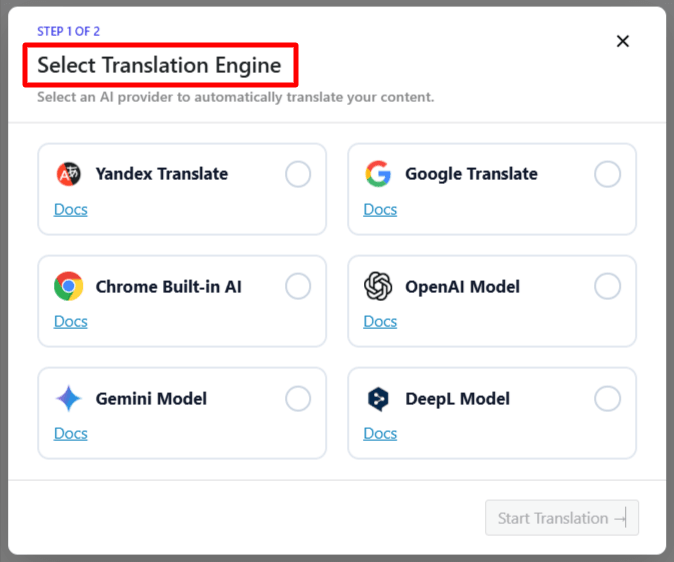
- A prompt will appear to select the Translation Engine.
- Select your preferred AI translation provider.
- A translation panel will appear displaying both the source content and translated content.
- Click Translate and wait while the translation process completes.
- Once the translation is finished, click Update Content.
(AutoPoly will translate all translatable Elementor Form content, including labels, placeholders, button text, validation messages, and form descriptions.) - Preview the translated page and make manual adjustments if required.
Via AutoTP – AI Translation for TranslatePress
AI Translation For TranslatePress is a powerful TranslatePress extension that enhances the functionality of the TranslatePress plugin by integrating automatic AI-powered translators.
Follow the steps below to translate your Elementor forms via AI Translation for TranslatePress:
- First, make sure that you have installed and activated TranslatePress and AutoTP – AI Translation for TranslatePress.
- Edit your Elementor Form.
- Click the Translate Page button from the WordPress admin bar.
- This will open the TranslatePress visual translation editor.
- Select the language into which you want to translate the page.
- After selecting the target language, click Auto Translate.
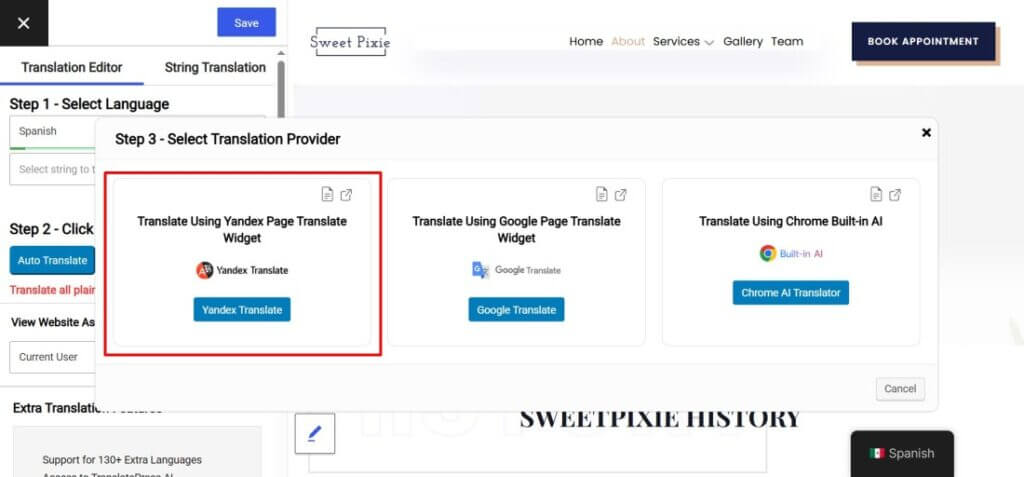
- A pop-up will appear asking you to select a translation provider.
- Choose your preferred translation provider. The translation process will begin.
- AutoTP will automatically translate Elementor Form content, including field labels, placeholders, button text, validation messages, form descriptions, and confirmation messages.
- Once the translation is complete, click Merge Translation.
- Review the translated content and make any necessary edits.
- Click Save Translation to publish the translated version.
Via AutoMLP – AI Translation for WPML
AutoMLP – AI Translation for WPML is WPML automatic translation addon that translates your WordPress website using different AI services like OpenAI, Google Gemini, or Chrome AI at low cost.
Follow the steps below to translate your Elementor forms via AI Translation for WPML:
- First, make sure that you have installed and activated WPML and AutoMLP – AI Translation for WPML.
- Choose the page that contains Elementor Form.
- Click AI Translate button.
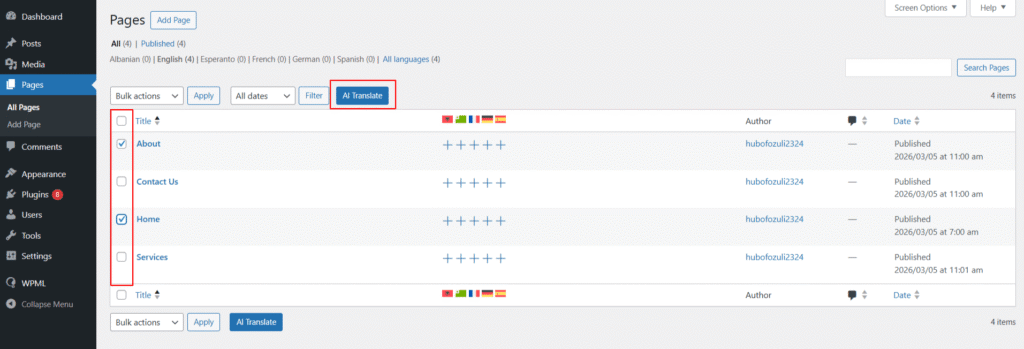
- A popup will appear asking you to select the target language.
- Choose the language into which you want to translate your page.
- Next, select your preferred translation provider, such as Chrome Built-in AI, OpenAI, Claude AI, or Gemini AI.
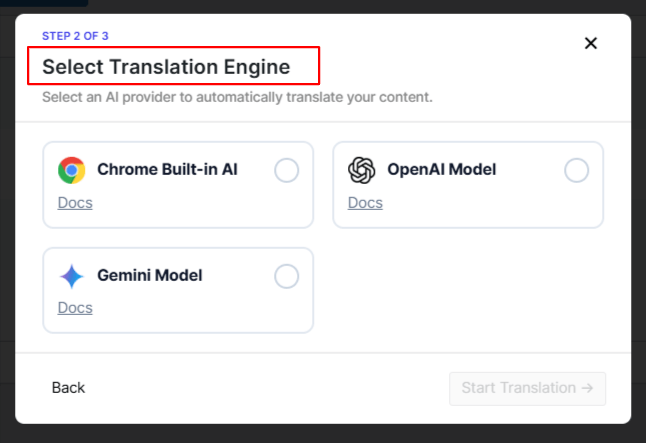
- The translation process will begin automatically.
(Wait while AutoMLP translates all Elementor Form content, including field labels, placeholders, button text, form descriptions, validation messages, confirmation messages, and notification content.) - Open the translated page and review the translated form.
- Make any manual edits required to improve accuracy or adapt the content for your audience.
Conclusion
Creating multilingual Elementor Forms helps you provide a better experience for international visitors and increases the likelihood of form submissions.
Whether you’re running contact forms, registration forms, quote request forms, surveys, or advanced forms built with Elementor, AI translation can dramatically reduce the time required to manage multiple languages.
With AutoPoly for Polylang, AutoTP for TranslatePress, and AutoMLP for WPML, you can automatically translate Elementor Forms using AI and maintain multilingual forms with minimal effort.
Instead of manually translating every label, placeholder, and message, AI handles most of the work, allowing you to focus on growing your website and serving a global audience.
If you’re managing multiple multilingual websites, you can also get the complete AI Translation Bundle, which includes AutoTP, AutoPoly, AutoMLP, and LocoAI, for just $100 per year.
Individual addons are also available for purchase. Explore all available plans and choose the option that best fits your website’s multilingual translation needs.
Check Translation Bundle Pricing
FAQs
Can Elementor Forms be translated into multiple languages?
Yes, Elementor Forms can be translated into multiple languages using multilingual plugins such as Polylang, TranslatePress, or WPML. With AI translation addons, you can automatically translate form labels, placeholders, button text, validation messages, and confirmation messages without manually recreating each form.
What is the best way to translate Elementor Forms automatically?
The easiest way to translate Elementor Forms automatically is by using AI-powered translation tools. These tools can translate form content in seconds, helping you create multilingual forms while saving time and maintaining consistency across languages.
Does AI translation work with Elementor Pro Forms?
Yes, AI translation works with Elementor Pro Forms. Depending on your multilingual setup, AI translation addons can translate various form elements, including field labels, placeholders, submit buttons, success messages, and email notifications.
Can AI translate Elementor form validation and confirmation messages?
Yes, AI can translate validation messages, error notifications, success confirmations, and other user-facing form content. This ensures visitors receive a fully localized experience when interacting with your forms.
How do I translate WordPress plugin text and Elementor addon strings with AI?
If you need to translate plugin text, theme strings, or Elementor add-on content beyond page translations, you can use Loco Translate with AI-powered translation tools such as LocoAI. This allows you to automatically translate WordPress language files and localization strings directly from your dashboard.
Does translating Elementor Forms improve multilingual SEO?
While form fields themselves have limited SEO impact, translating the pages containing Elementor Forms can improve multilingual SEO. Localized content helps search engines understand your website’s relevance for users searching in different languages and regions.